
- If you have not yet made the payment for your order, you can cancel it directly from your customer panel.
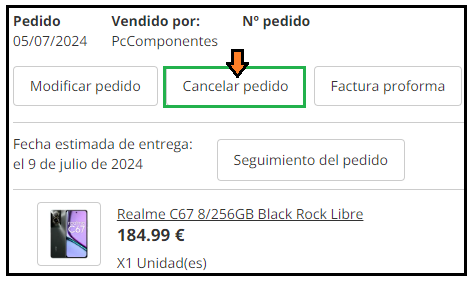
- Go to the “Orders, Returns, and Invoices” section and click on the “Cancel Order” button:
-
This option does not appear for all payment methods, so if you wish to cancel it please contact our Customer Service.
- If the order has already been prepared or shipped, we will not be able to cancel it, but you can make a return within 30 days after delivery.
Cancel an Order
Did this help?
236 of 1058 found this useful
Still stuck? Contact