
After completing your purchase, you can still modify your order if you have selected payment by credit card or regular transfer.
You will be able to add or remove items from your order and modify the shipping address.
You can modify the order from your customer panel, go to the “Orders, Returns, and Invoices” section and click on the “Modify Order” button that will appear in the order options: 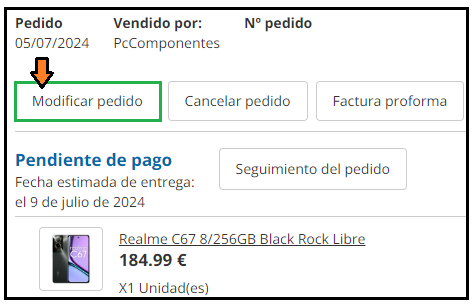
Once you access “Modify Order” you will have 30 minutes to make changes to your order.
You can remove items by clicking on the trash can icon, or add new ones by clicking on “Continue Shopping”.
To confirm the changes, make sure to click on “Save and Continue”.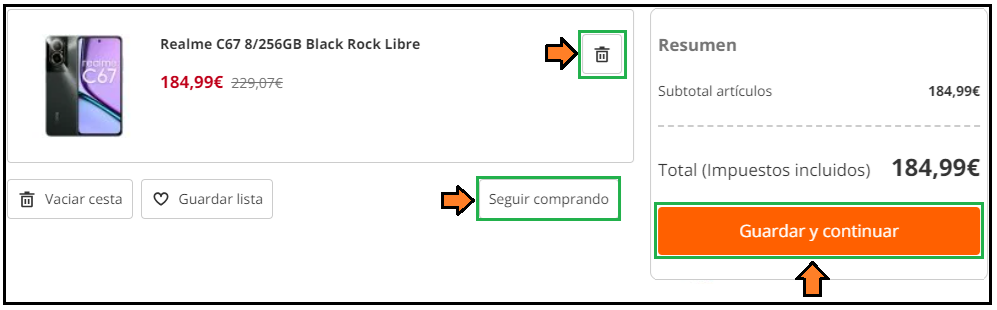
You should keep in mind the following:
- If the price of the new item is higher, it will be charged to the same card.
- If the price is lower, the difference will be refunded to the same payment method.